Connector
A control board installed inside various IoT devices that mediates communication between the device and the server. It uses the MQTT protocol to transmit various data collected from IoT devices to the AlpaConnect Cloud server. Each APC Link has a unique ID, allowing individual devices to be identified within the system.
This control board can collect various real-time environmental sensor data such as conductivity, humidity, ECO2, and TVOC. The collected data is converted into MQTT message format and sent to the MQTT broker.
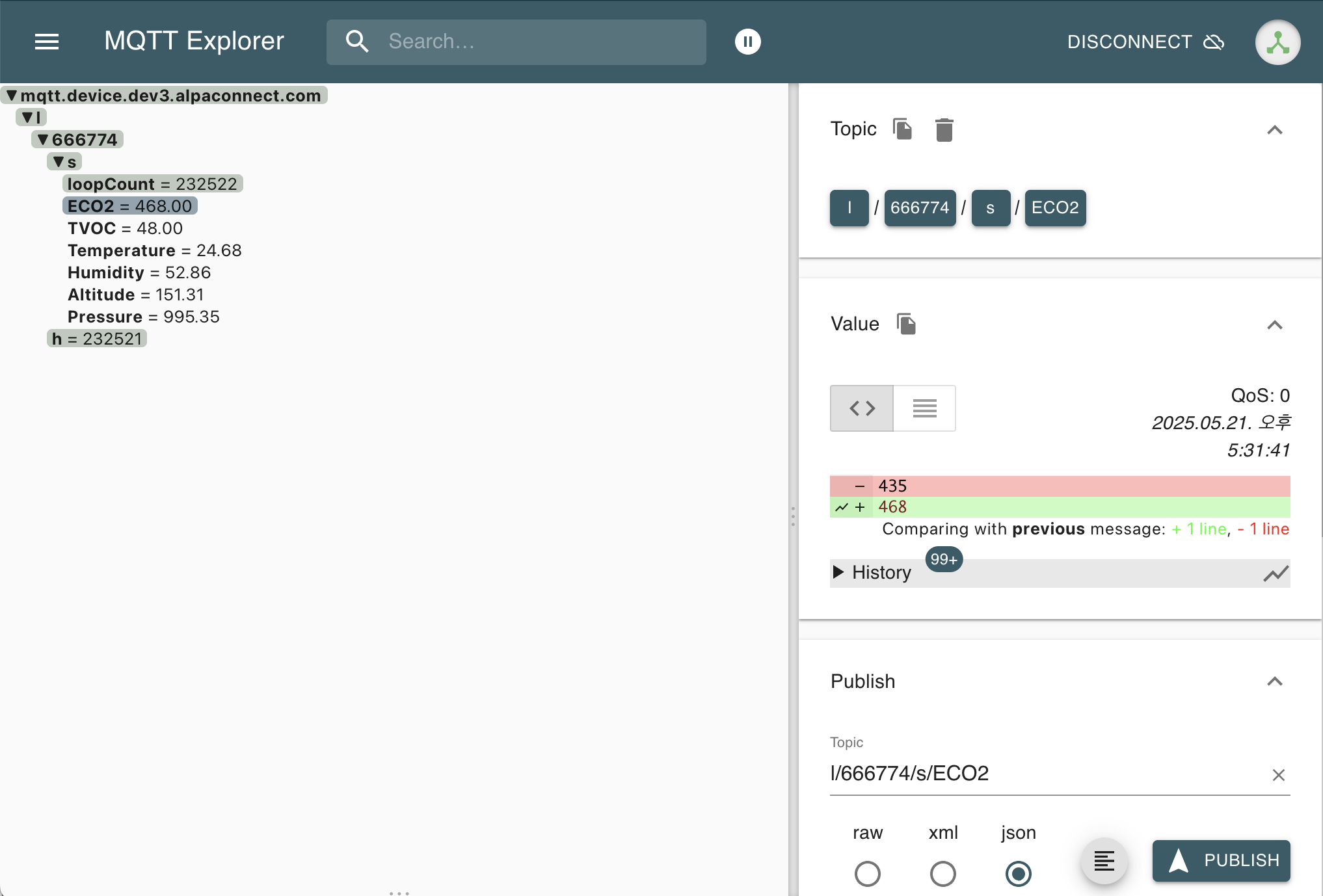
APC Link Registration Process
-
Initial Hardware Recognition
First, physically install the APC Link hardware, then use the AlpaConnect mobile application to search for nearby APC Link devices. The mobile device identifies nearby APC Link hardware via Bluetooth or Wi-Fi.
-
Set Server Connection Information
Once the APC Link is discovered in the mobile app, enter the following important information to configure the device to communicate with the cloud server:
- MQTT broker address (e.g., mqtt.device.dev1.alpaconnect.com)
- Server address
- ID for authentication
- Password
This step sets where the APC Link should send data and how it can authenticate with the server.
-
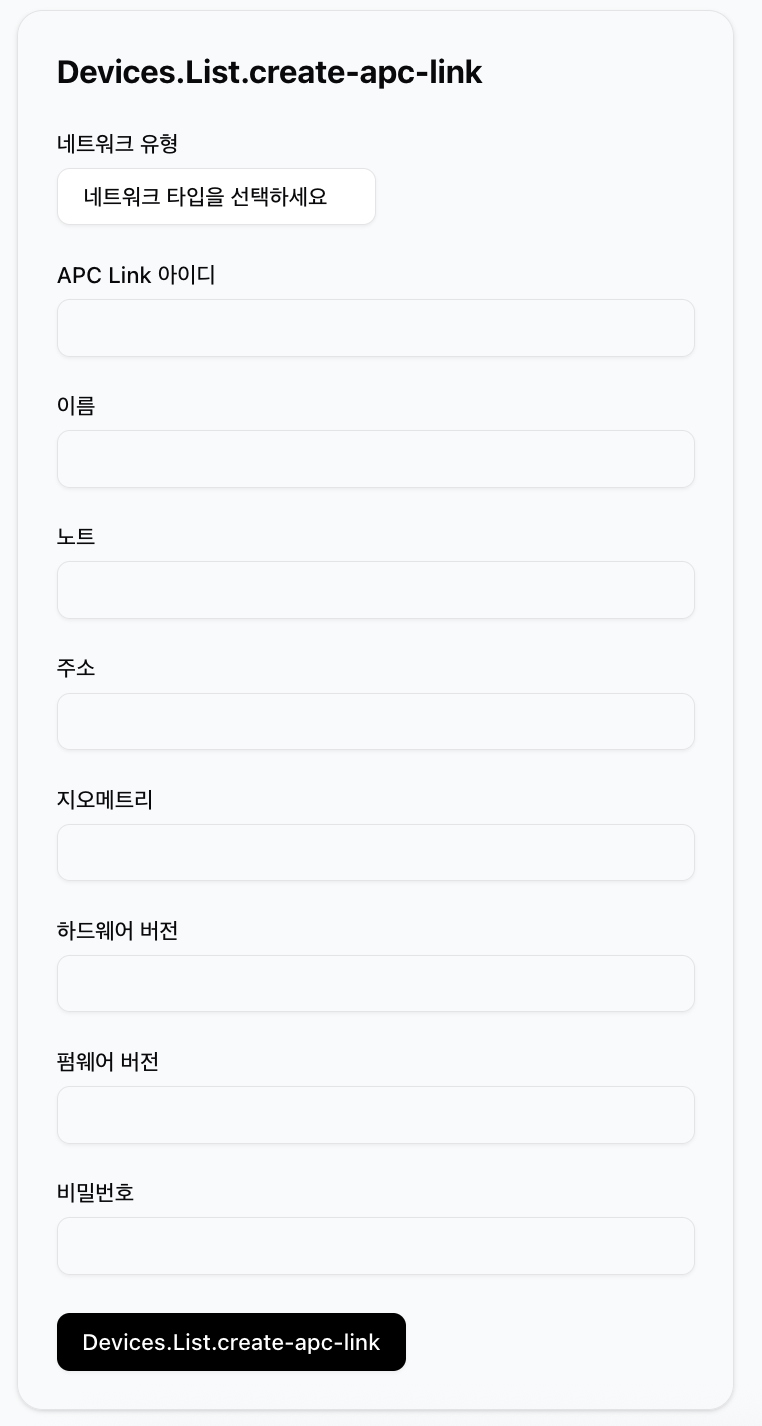
Configure APC Link in the Dashboard
After completing the server connection setup, access the web-based dashboard to actually create the APC Link profile in the system. Enter the following information:
- Select network type
- APC Link ID (automatically assigned by the system or entered manually)
- Device name
- Note for description
- Installation address
- Hardware version
- Firmware version
- Serial number or password
This information is important metadata for effectively managing the APC Link in the dashboard and for troubleshooting.
-
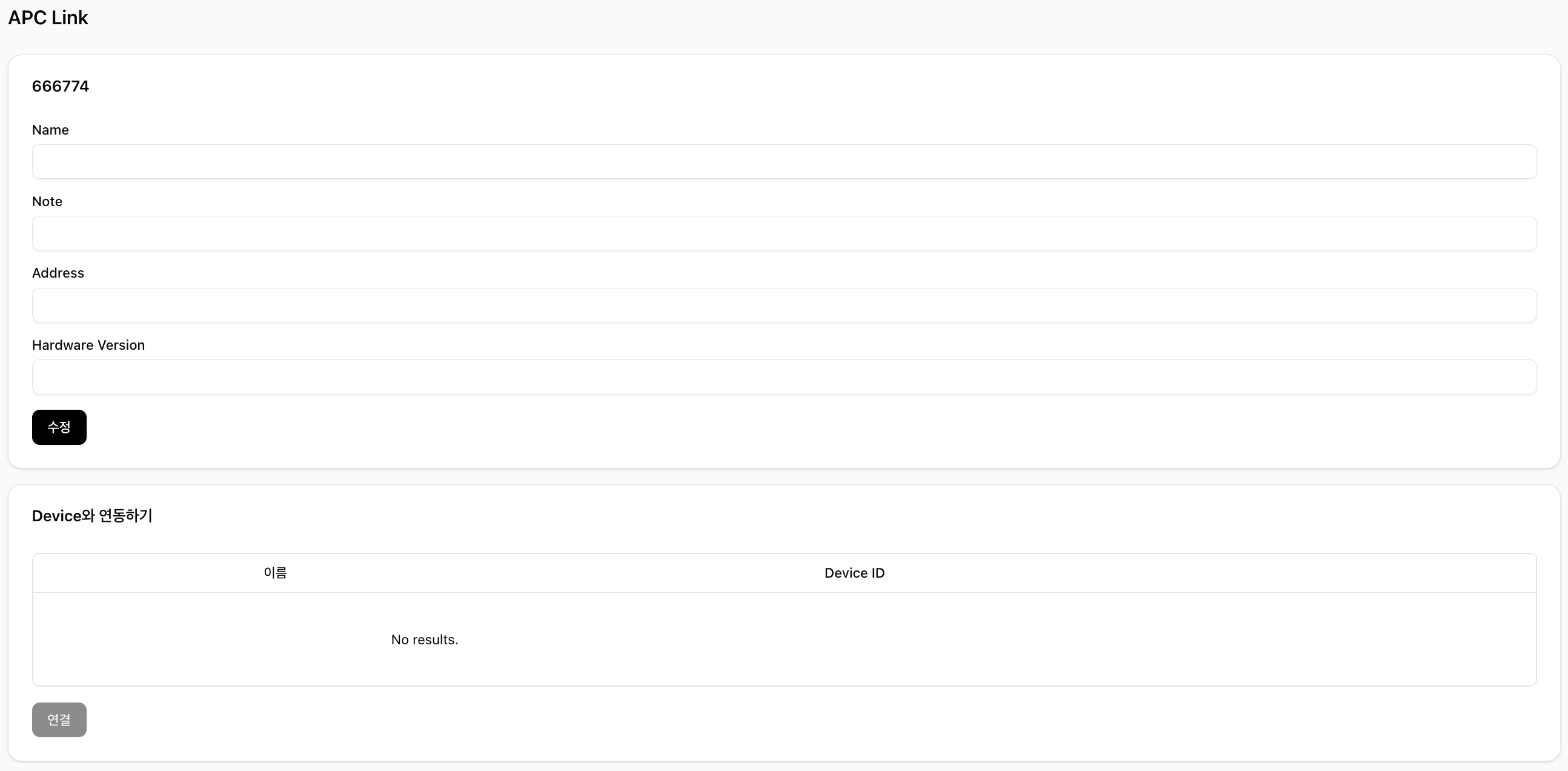
Link Device with APC Link
Once APC Link registration is complete, you can connect actual IoT devices to the APC Link. In the “Link with Device” section of the dashboard:
- Enter the name of the device to connect
- Enter the unique Device ID
- Click the “Connect” button to complete registration
Through this process, the APC Link can collect data from connected devices and transmit it to the cloud server.
-
Check Data Flow
Once linked, data collected from the device begins to be transmitted to the server via the APC Link using the MQTT protocol. The dashboard allows real-time monitoring of data such as ECO2, TVOC, temperature, and humidity.